
Shopify merchants
You prepare your bookkeeping yourself or hand it to a tax advisor who works with DATEV. You want the file without building it in Excel each month.
DATEV Export & Steuern builds the booking batch your tax advisor imports: orders and refunds, SKR 03 or SKR 04, tax rates and revenue accounts already assigned. Check it in the journal, download the CSV, send it.
7 days free. Then $14.99 per month. EXTF 700 · CSV · UTF-8 with BOM
Built for German tax law only: SKR 03/04, DATEV EXTF 700 and German tax rates. OSS and third-country deliveries are treated from the point of view of a German merchant.
Problem
Your advisor wants a DATEV file. Shopify gives you order exports and payout reports. In between sits a spreadsheet: split 19% and 7% baskets by hand, look up the account for every country, find last month's refunds, explain to the advisor why the totals differ by a few cents.
That spreadsheet costs hours every month and breaks the moment something unusual happens: a refund for an order from March, a customer in Austria, a PayPal payment next to Shopify Payments.
The app replaces the spreadsheet with a rule set your advisor can read and change.
What the app does
The app reads your Shopify orders and refunds for the period you choose. The tax engine assigns each line a revenue account, tax rate and counter account. The result is a DATEV booking batch (EXTF 700) that your advisor imports. Nothing is saved on our servers on the way.
How to
Step 1 of 5
Open the Shopify App Store listing and install DATEV Export & Steuern. The app opens embedded in your Shopify admin, no separate login. The 7-day trial starts with the installation.
View in the Shopify App StoreStep 2 of 5
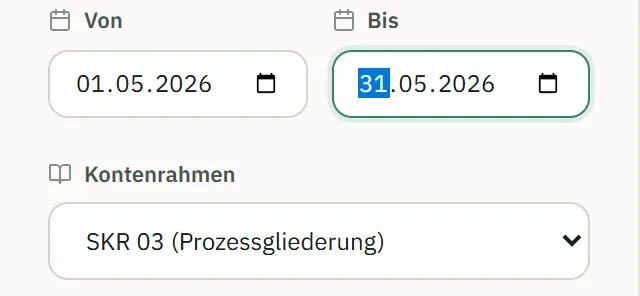
The default period is the previous month. You can pick any range, including orders older than 60 days. Then choose SKR 03 or SKR 04.
Step 3 of 5
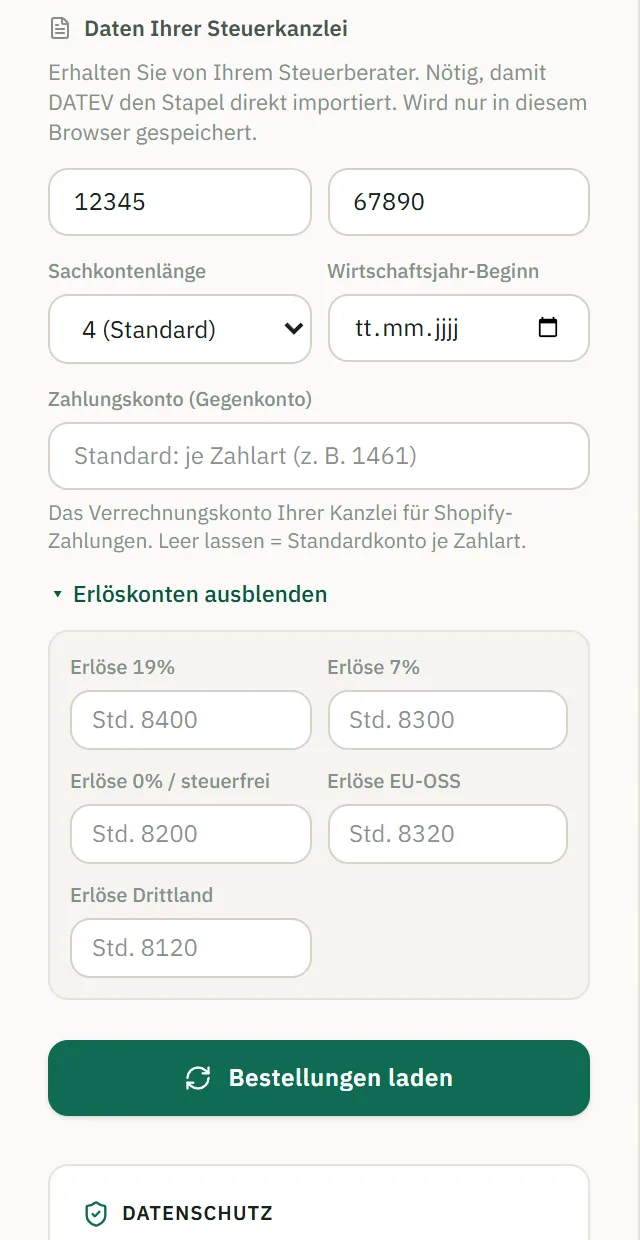
Enter the consultant and client number from your advisor. Defaults are provided for revenue and counter accounts (Shopify Payments, PayPal, collective account); your advisor can overwrite any of them. This data stays in your browser, not on our servers.
Step 4 of 5
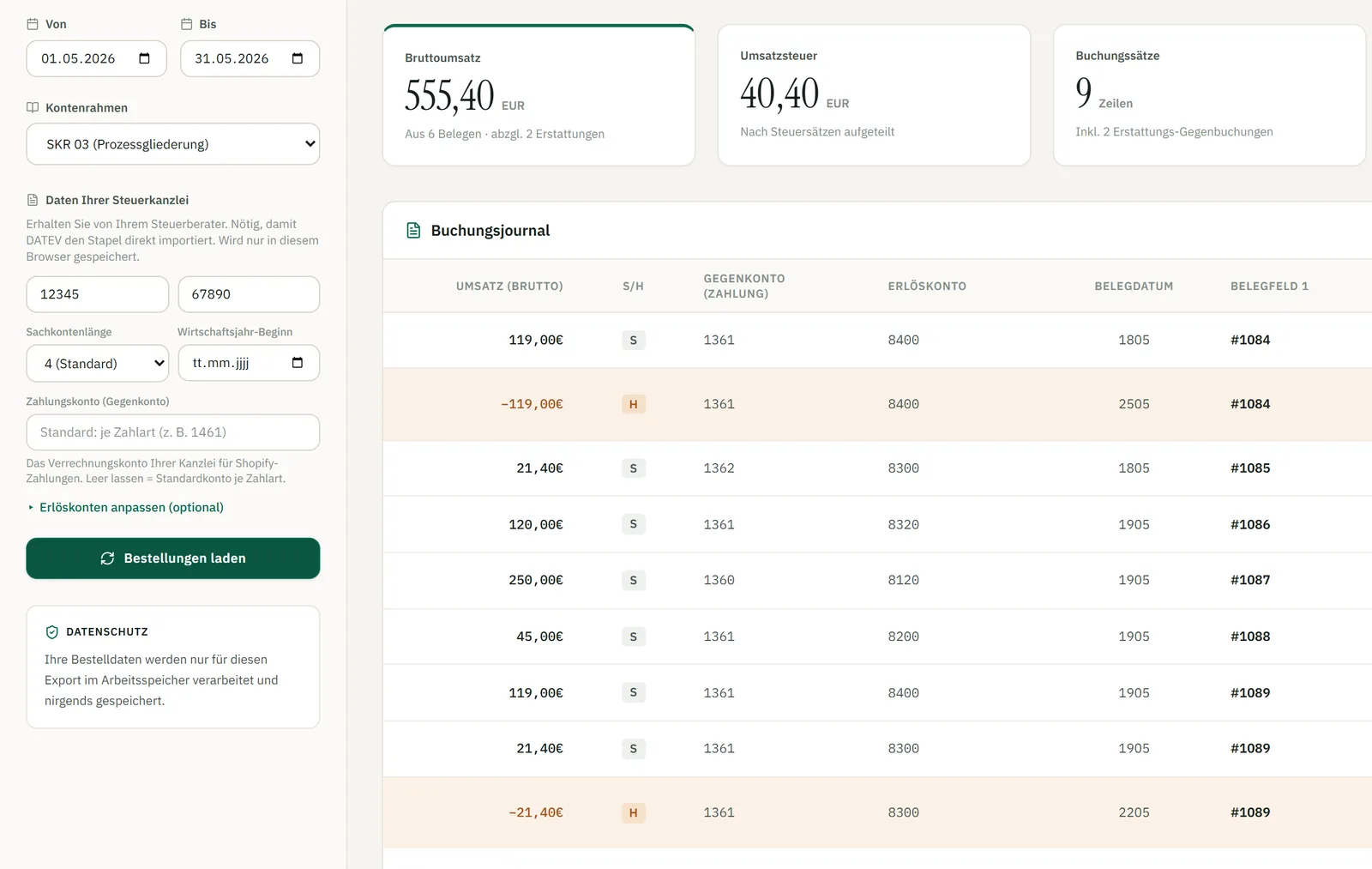
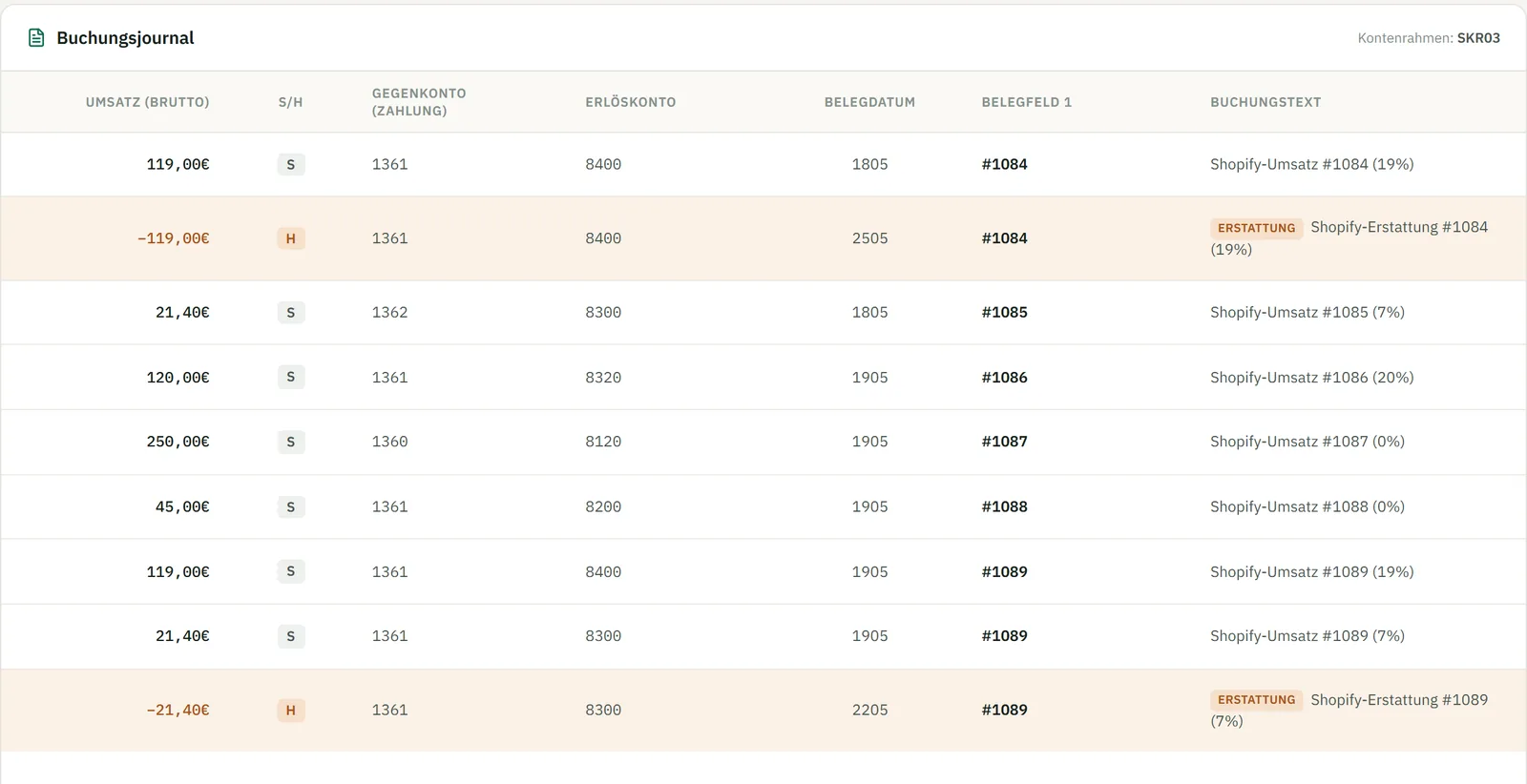
The app loads the orders and refunds and lists every booking line before anything is exported. Columns: amount, debit/credit (S/H), accounts, document date, document field 1. Refunds are marked. Faulty lines are flagged and do not block the rest.
Step 5 of 5
Download the DATEV file (EXTF 700, CSV, semicolon, UTF-8 with BOM) for import. If you want paper or a check copy, the print view creates a PDF report. Hand either one to your tax advisor.

"EXTF";700;21;"Buchungsstapel";12;20261010070735375;;"RE";;;12345;67890;20260101;4;20260501;20260531;"Shopify 2026-05-01 bis 2026-05-31";;;;;"EUR";;;;;;;;;
119,00;S;"EUR";;;;8400;1361;;1805;"1084";;;"Shopify-Umsatz #1084 (19%)"
119,00;H;"EUR";;;;8400;1361;;2505;"1084";;;"Shopify-Erstattung #1084 (19%)"
21,40;S;"EUR";;;;8300;1362;;1805;"1085";;;"Shopify-Umsatz #1085 (7%)"
Excerpt from the DATEV batch (sample data)
Tax engine
Revenue accounts are chosen by delivery country and tax rate: Germany at 19%, 7% and 0%, EU destinations under OSS, third countries. Counter accounts follow the payment method: Shopify Payments, PayPal or a collective account. Your advisor can overwrite all of it in the settings.
A basket with 19% and 7% items is split into separate booking lines, one per rate. Shipping is booked at the tax rate of its shipping line; if the order has none, at the dominant rate of the order. Cents are rounded without floating-point errors, so the batch adds up.
A refund becomes its own credit booking dated on the day of the refund, even if the purchase was months ago. It is not netted against the original sale, so each month stays correct.
EU deliveries under OSS and third-country deliveries get their own revenue accounts instead of landing in German revenue. A tax-free (0%) delivery to an EU country is booked on the third-country account.
Shopify normally limits apps to the last 60 days of orders. This app has the read_all_orders permission, approved by Shopify, so catching up on a whole year works.
The booking batch has to contain every sale of the period. Leave products out and your tax advisor is missing revenue and VAT, and the batch no longer reconciles with your Shopify payouts. The app also books per order by tax rate, not per item: a basket with 19% and 7% items becomes two bookings. If you want item figures, Shopify has them under Analytics → Reports → Sales by product.
| Case | SKR 03 | SKR 04 |
|---|---|---|
| Revenue accounts by delivery country and tax rate | ||
| Germany, 19% | 8400 | 4400 |
| Germany, 7% | 8300 | 4300 |
| Germany, 0% (tax-exempt) | 8200 | 4200 |
| EU delivery (OSS) | 8320 | 4320 |
| Third country (also tax-free EU delivery) | 8120 | 4120 |
| Counter accounts by payment method | ||
| Shopify Payments | 1361 | 1461 |
| PayPal | 1362 | 1462 |
| Collective account (other payment methods) | 1360 | 1460 |
| Everything can be overridden in the firm settings. | ||
Who it's for
You prepare your bookkeeping yourself or hand it to a tax advisor who works with DATEV. You want the file without building it in Excel each month.
Your clients send you a file in the format you import, with accounts you defined, a journal to check, and refunds in the period they belong to. Send your client the app link and your account settings.
„Funktioniert einwandfrei. Mein Steuerberater ist Glücklich mit der DATEV Schnittstelle.“
In English: "Works flawlessly. My tax advisor is happy with the DATEV interface." (translation)
Shopify App Store, 5 of 5 stars (German-language review)Privacy
The app does not store order or customer data on our servers. Orders are fetched from Shopify, processed in memory and handed to you as a file. Advisor data such as consultant and client number is kept only in your browser.
Pricing
The first 7 days are free. One plan, all features: SKR 03 and SKR 04, journal, PDF report, any period. Billing runs through Shopify.
Help with the setup is available by email.
View in the Shopify App StoreLimits
Questions
Install DATEV Export & Steuern, choose a period and download the booking batch. It is a DATEV-importable CSV (EXTF 700) that your advisor can import into DATEV.
No. It is built for German tax law only: SKR 03 and SKR 04, DATEV EXTF 700 and German tax rates. OSS and third-country deliveries are treated from the point of view of a German merchant.
SKR 03 and SKR 04. You choose one in the settings, and your advisor can override any revenue or counter account.
DATEV format EXTF 700 as a CSV with semicolon separators and UTF-8 with BOM.
Each refund becomes its own credit booking dated on the refund date, not on the date of the original order. It is not netted against the original revenue, so closed months stay untouched.
Mixed baskets are split into separate booking lines per tax rate. Shipping is booked at the tax rate of its shipping line; if the order has none, at the dominant rate of the order.
Yes. Revenue accounts are assigned by delivery country and tax rate, including EU-OSS and third-country deliveries.
Yes. The app has the read_all_orders permission approved by Shopify, so you can pick any period, including earlier years.
No. Orders are processed in memory and not saved on our servers. Consultant and client number stay in your browser.
$14.99 per month, with 7 days free to try. Billing goes through Shopify.
No. The app does not handle them, so tell your advisor if you sell or accept them. Gift-card bookings can be added on request: write to hi@feelswebman.com.
No, on purpose. The batch must contain all sales of the period, otherwise revenue and VAT are missing for your advisor and the reconciliation with your Shopify payouts fails. The app books per order by tax rate, not per item. For item figures use Shopify under Analytics → Reports → Sales by product.
Try it free for 7 days with your real orders. Your advisor sees the result in the file.
$14.99/month · 7-day free trial
DATEV Export & Steuern · DATEV is a registered trademark of DATEV eG. DATEV Export & Steuern is an independent app by NordheideStudios / FeelsWebMan.